
Streamline the
application process
Copying the same name, email and work history into the hundredth application form isn't a career, it's data entry. Our extension for Chrome keeps your details in one place, fills in application forms in one click and drafts a cover letter from the posting. Add it to Chrome and get back to doomscrolling.
'%3e%3cpath%20d='M2%206H44V42H2V6Z'%20fill='%23F0F0F3'/%3e%3crect%20x='2'%20y='6'%20width='42'%20height='18'%20fill='%23E3E3E8'/%3e%3cmask%20id='mask1_13_1451'%20style='mask-type:alpha'%20maskUnits='userSpaceOnUse'%20x='5'%20y='20'%20width='36'%20height='36'%3e%3cpath%20d='M5%2038C5%2028.0589%2013.0589%2020%2023%2020C32.9411%2020%2041%2028.0589%2041%2038C41%2047.9411%2032.9411%2056%2023%2056C13.0589%2056%205%2047.9411%205%2038Z'%20fill='%23F1F1F1'/%3e%3c/mask%3e%3cg%20mask='url(%23mask1_13_1451)'%3e%3cpath%20d='M7.85864%2020V42.09H15.9136L23%2029.8171H40.9999V20H7.85864ZM7.85864%2020V42.09H15.9136L23%2029.8171H40.9999V20H7.85864Z'%20fill='%23DB4437'/%3e%3cpath%20d='M5%2055.9996H22.133L30.0862%2048.0464V42.0921L15.9136%2042.0898L5%2023.372V55.9996ZM5%2055.9996H22.133L30.0862%2048.0464V42.0921L15.9136%2042.0898L5%2023.372V55.9996Z'%20fill='%230F9D58'/%3e%3cpath%20d='M23%2029.817L30.0863%2042.0899L22.1354%2056.0001H40.9999V29.817H23ZM23%2029.817L30.0863%2042.0899L22.1354%2056.0001H40.9999V29.817H23Z'%20fill='%23FFCD40'/%3e%3cpath%20d='M22.9999%2029.817C27.5193%2029.817%2031.1828%2033.4808%2031.1828%2037.9998C31.1828%2042.5191%2027.5193%2046.183%2022.9999%2046.183C18.4806%2046.183%2014.8171%2042.5191%2014.8171%2037.9998C14.8171%2033.4808%2018.4806%2029.817%2022.9999%2029.817Z'%20fill='white'/%3e%3cpath%20d='M22.9999%2031.4535C26.6153%2031.4535%2029.5461%2034.3844%2029.5461%2037.9998C29.5461%2041.6152%2026.6153%2044.546%2022.9999%2044.546C19.3844%2044.546%2016.4536%2041.6152%2016.4536%2037.9998C16.4536%2034.3844%2019.3844%2031.4535%2022.9999%2031.4535Z'%20fill='%234285F4'/%3e%3c/g%3e%3c/g%3e%3c/svg%3e) Chrome Web Store Chrome extension
Chrome Web Store Chrome extensionInstall the extension for Chrome
Another tool, another tab, another password? Not this one. Add our extension to Chrome, open a job posting, and the side panel is one click away, right next to it. It runs in Chrome 116 or newer, on most career pages.
'%3e%3cpath%20id='Vector_2'%20d='M7.6224%2096.0004V37.0938H29.1023L47.9992%2069.8214H95.999V96.0004H7.6224ZM7.6224%2096.0004V37.0938H29.1023L47.9992%2069.8214H95.999V96.0004H7.6224Z'%20fill='%23DB4437'/%3e%3cpath%20id='Vector_3'%20d='M0%200H45.6881L66.8967%2021.2086V37.0868L29.1028%2037.0929L0%2087.0069V0ZM0%200H45.6881L66.8967%2021.2086V37.0868L29.1028%2037.0929L0%2087.0069V0Z'%20fill='%230F9D58'/%3e%3cpath%20id='Vector_4'%20d='M48.0009%2069.8216L66.8979%2037.0939L45.6953%200H96.0007V69.8216H48.0009ZM48.0009%2069.8216L66.8979%2037.0939L45.6953%200H96.0007V69.8216H48.0009Z'%20fill='%23FFCD40'/%3e%3cpath%20id='Vector_5'%20d='M48.0005%2069.8223C60.0521%2069.8223%2069.8213%2060.0521%2069.8213%2048.0015C69.8213%2035.9499%2060.0521%2026.1797%2048.0005%2026.1797C35.9489%2026.1797%2026.1797%2035.9499%2026.1797%2048.0015C26.1797%2060.0521%2035.9489%2069.8223%2048.0005%2069.8223Z'%20fill='white'/%3e%3cpath%20id='Vector_6'%20d='M47.9983%2065.4576C57.6394%2065.4576%2065.455%2057.642%2065.455%2048.0009C65.455%2038.3598%2057.6394%2030.5443%2047.9983%2030.5443C38.3572%2030.5443%2030.5417%2038.3598%2030.5417%2048.0009C30.5417%2057.642%2038.3572%2065.4576%2047.9983%2065.4576Z'%20fill='%234285F4'/%3e%3c/g%3e%3c/g%3e%3c/svg%3e)
'%3e%3cpath%20fill-rule='evenodd'%20clip-rule='evenodd'%20d='M6.16233%205.78141L22.1487%2043.7794C22.8367%2045.4147%2025.1551%2045.4111%2025.838%2043.7737L29.5026%2034.9879L37.7575%2043.2428C40.1006%2045.5859%2043.8996%2045.5859%2046.2427%2043.2428C48.5859%2040.8996%2048.5859%2037.1006%2046.2427%2034.7575L37.9879%2026.5026L46.7737%2022.838C48.411%2022.1551%2048.4146%2019.8366%2046.7793%2019.1487L8.78141%203.16233C7.12917%202.46721%205.46721%204.12917%206.16233%205.78141Z'%20fill='%2312131A'/%3e%3c/g%3e%3cpath%20id='Shape_2'%20fill-rule='evenodd'%20clip-rule='evenodd'%20d='M28.1093%2027.9377L40.5859%2040.4143C41.3669%2041.1954%2042.6333%2041.1954%2043.4143%2040.4143C44.1954%2039.6333%2044.1954%2038.367%2043.4143%2037.5859L30.9377%2025.1093L40.8275%2020.9842L11.7515%208.75147L23.9842%2037.8275L28.1093%2027.9377ZM46.7737%2022.838C48.411%2022.1551%2048.4146%2019.8366%2046.7793%2019.1487L8.78141%203.16233C7.12917%202.46721%205.46721%204.12917%206.16233%205.78141L22.1487%2043.7794C22.8367%2045.4147%2025.1551%2045.4111%2025.838%2043.7737L29.5026%2034.9879L37.7575%2043.2428C40.1006%2045.5859%2043.8996%2045.5859%2046.2427%2043.2428C48.5859%2040.8996%2048.5859%2037.1006%2046.2427%2034.7575L37.9879%2026.5026L46.7737%2022.838Z'%20fill='white'/%3e%3c/g%3e%3cdefs%3e%3cfilter%20id='filter0_d_0_66'%20x='5.12661e-09'%20y='3.05196e-09'%20width='54.0037'%20height='54.0038'%20filterUnits='userSpaceOnUse'%20color-interpolation-filters='sRGB'%3e%3cfeFlood%20flood-opacity='0'%20result='BackgroundImageFix'/%3e%3cfeColorMatrix%20in='SourceAlpha'%20type='matrix'%20values='0%200%200%200%200%200%200%200%200%200%200%200%200%200%200%200%200%200%20127%200'%20result='hardAlpha'/%3e%3cfeOffset%20dy='3'/%3e%3cfeGaussianBlur%20stdDeviation='3'/%3e%3cfeComposite%20in2='hardAlpha'%20operator='out'/%3e%3cfeColorMatrix%20type='matrix'%20values='0%200%200%200%200.0705882%200%200%200%200%200.0745098%200%200%200%200%200.101961%200%200%200%200.25%200'/%3e%3cfeBlend%20mode='normal'%20in2='BackgroundImageFix'%20result='effect1_dropShadow_0_66'/%3e%3cfeBlend%20mode='normal'%20in='SourceGraphic'%20in2='effect1_dropShadow_0_66'%20result='shape'/%3e%3c/filter%3e%3c/defs%3e%3c/svg%3e)
Auto-fill job forms with your information
How many times can you type your phone number before you question your entire existence? Save your details once, and we fill in application forms in one click: name, contact details, links, résumé, education and the questions every company asks. Fields you already filled stay untouched. You still press Submit.


Tailor-make your CV for the skills and
language the job posting requires
Recruiters skim for the words in their own job posting, and your CV probably uses different ones. Open the side panel on a posting, and we pull out the key skills, ask where you used each one, and draft a CV around your real experience. Same you, in their language.


Manage your data in one
central spot and get feedback
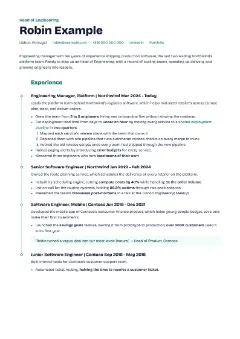
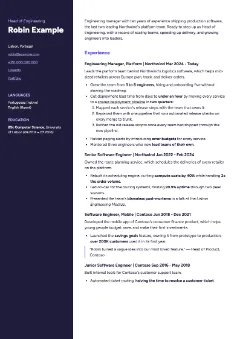
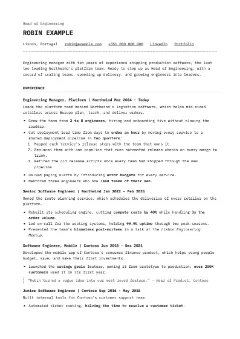
Your work history lives in old CVs, LinkedIn and a notes app you forgot about. Keep your jobs and education in your account instead, the same in the extension and on the website. We rate every past job against what recruiters look for and show you how to fix the weak ones.
Professional templates,
even for you
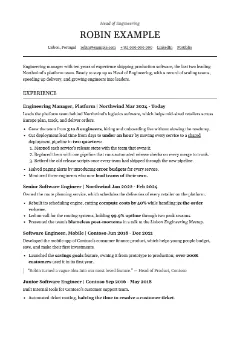
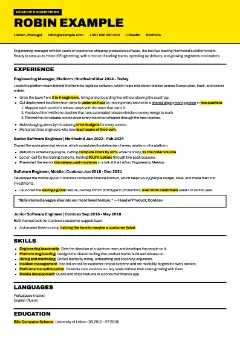
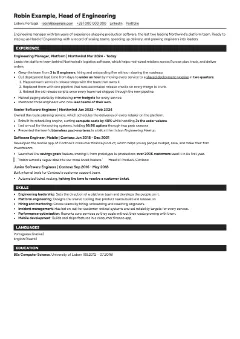
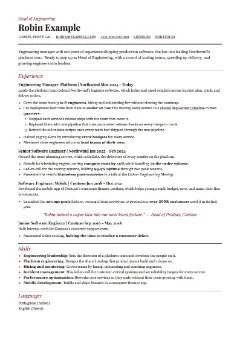
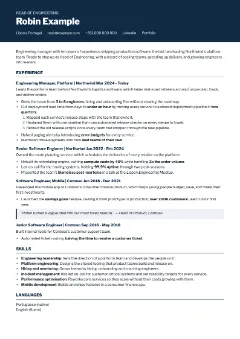
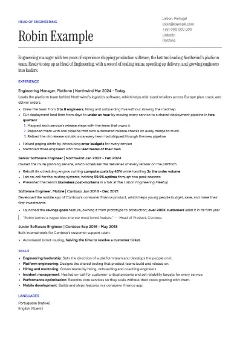
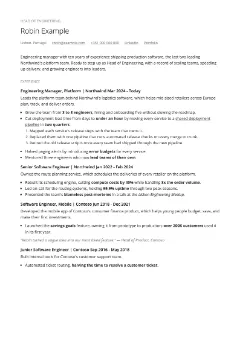
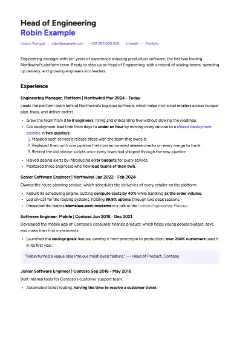
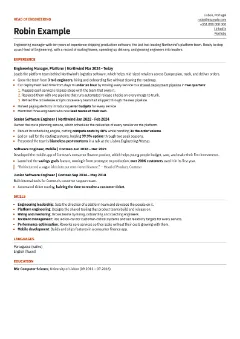
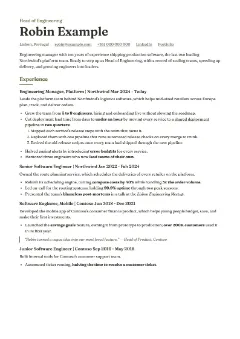
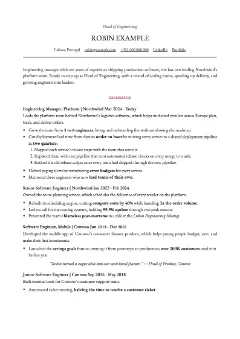
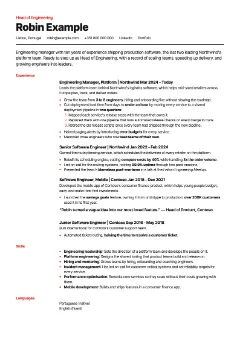
Pick one of fifteen templates and export a clean PDF that’s ready to upload. No more fighting Word margins at 2 a.m. Save your CV as Markdown to keep editing later.
Dumb Questions
There are no dumb questions, they say. Here are yours anyway.
Where does it work?
In Chrome, version 116 or newer. The application forms most companies use get the VIP treatment. On every other site it reads the form like you would, just faster, and fills whatever it recognises.
What does it fill in?
Your name, contact details, links, résumé file, current company and title, education, and any custom field you add for the questions every company asks. Fields you already filled stay untouched, and it never hits submit. That part is on you.
What about gender, ethnicity, veteran and disability questions?
They are only filled from what you entered in your profile. Leave it blank there, and the question stays yours to answer.
How do the cover letter and CV generators work?
Open a job posting, open the side panel and hit draft. Cover letters stay short, under 500 characters, in the language of the job ad. CVs pick the key skills from the posting and rewrite your jobs around them. Both stick to the facts you gave: no invented employers, dates or skills. Read it before you send it anyway.
Does it work on my phone?
No. Chrome on phones and tablets doesn't run extensions, so install it on a computer. The job board, the CV editor and the ATS checker work on any device.
Which AI does it use, and what does it cost?
Drafts run on tokens, through our server to AI models that keep nothing: Claude for CVs, GPT-6 Luna for cover letters. Sign in with Google or LinkedIn and you get 1M for free; buy more on your account page.
Where does my data go?
Signed in, your name, contact details, links and languages sync with your account; your other Auto-Fill fields and your résumé stay in the extension on your device. Your job and education history live in your account, so the extension and the website share them. When you draft, the job posting, your name and your history go through our server to AI models that keep nothing. Each job you save goes the same way to be read for your CVs, and to TypeSafe’s model Jev to be scored. The Transparency page has the details. Export your details and history as a CSV in the settings to back them up.
Get started for free today
Every application form you fill in by hand is twenty minutes you won't get back. Add our extension to Chrome for free, and let us do the typing while you pick the next job.
'%3e%3cellipse%20cx='93.8604'%20cy='66.0269'%20rx='58.8604'%20ry='31.0269'%20fill='%234C136B'%20fill-opacity='0.61'/%3e%3c/g%3e%3cdefs%3e%3cfilter%20id='filter0_f_0_155'%20x='0'%20y='0'%20width='187.721'%20height='132.054'%20filterUnits='userSpaceOnUse'%20color-interpolation-filters='sRGB'%3e%3cfeFlood%20flood-opacity='0'%20result='BackgroundImageFix'/%3e%3cfeBlend%20mode='normal'%20in='SourceGraphic'%20in2='BackgroundImageFix'%20result='shape'/%3e%3cfeGaussianBlur%20stdDeviation='17.5'%20result='effect1_foregroundBlur_0_155'/%3e%3c/filter%3e%3c/defs%3e%3c/svg%3e)
'%3e%3cellipse%20cx='75.0687'%20cy='56.1213'%20rx='40.0687'%20ry='21.1213'%20fill='%234C136B'%20fill-opacity='0.61'/%3e%3c/g%3e%3cdefs%3e%3cfilter%20id='filter0_f_0_153'%20x='0'%20y='0'%20width='150.137'%20height='112.243'%20filterUnits='userSpaceOnUse'%20color-interpolation-filters='sRGB'%3e%3cfeFlood%20flood-opacity='0'%20result='BackgroundImageFix'/%3e%3cfeBlend%20mode='normal'%20in='SourceGraphic'%20in2='BackgroundImageFix'%20result='shape'/%3e%3cfeGaussianBlur%20stdDeviation='17.5'%20result='effect1_foregroundBlur_0_153'/%3e%3c/filter%3e%3c/defs%3e%3c/svg%3e)