
Tailor your pitch to
individual job offers
One CV for every job is how you end up on the no pile. We help you build a CV an ATS can read, rewrite it around the skills each job posting asks for, and tell you which parts are weak. Start with the free editor, no account needed.
'%3e%3cpath%20d='M39.517%205.79337C39.6498%205.30002%2040.35%205.30002%2040.4828%205.79337L40.7992%206.96719C41.3551%209.032%2042.9678%2010.6446%2045.0326%2011.2006L46.2064%2011.517C46.6998%2011.6498%2046.6998%2012.35%2046.2064%2012.4828L45.0326%2012.7992C42.9678%2013.3552%2041.3552%2014.9679%2040.7992%2017.0326L40.4828%2018.2065C40.35%2018.6998%2039.6498%2018.6998%2039.517%2018.2065L39.2006%2017.0326C38.6446%2014.9678%2037.032%2013.3552%2034.9672%2012.7992L33.7933%2012.4828C33.3%2012.35%2033.3%2011.6498%2033.7933%2011.517L34.9672%2011.2006C37.032%2010.6446%2038.6446%209.03206%2039.2006%206.96719L39.517%205.79337ZM33.1664%202.23965C33.2582%201.89862%2033.7415%201.89863%2033.8334%202.23965C34.2177%203.66698%2035.3328%204.78204%2036.7601%205.16641C37.1012%205.25824%2037.1012%205.74158%2036.7601%205.8334C35.3329%206.21775%2034.2177%207.3329%2033.8334%208.76016C33.7416%209.1012%2033.2582%209.1012%2033.1664%208.76016C32.782%207.33287%2031.6669%206.21771%2030.2396%205.8334C29.8986%205.74158%2029.8986%205.25823%2030.2396%205.16641C31.667%204.78208%2032.7821%203.66702%2033.1664%202.23965Z'%20fill='%23AC45F1'/%3e%3cpath%20d='M28.5098%204C27.5238%205.20176%2027.9262%207.28031%2029.7188%207.76367C30.4574%207.96255%2031.0351%208.54059%2031.2344%209.2793C31.3675%209.77358%2031.6233%2010.1622%2031.9473%2010.4453C30.9422%2011.7326%2031.3838%2013.9039%2033.2725%2014.4131L34.4463%2014.7295L34.7012%2014.8076C35.9545%2015.236%2036.9208%2016.2626%2037.2686%2017.5527L37.585%2018.7266C37.9172%2019.9598%2038.9589%2020.5755%2040%2020.5752V40C40%2042.2091%2038.2091%2044%2036%2044H10C7.79086%2044%206%2042.2091%206%2040V8C6%205.79086%207.79086%204%2010%204H28.5098Z'%20fill='url(%23paint0_linear_13_1503)'/%3e%3cpath%20d='M20.5%2034C21.3284%2034%2022%2034.6716%2022%2035.5C22%2036.3284%2021.3284%2037%2020.5%2037H11.5C10.6716%2037%2010%2036.3284%2010%2035.5C10%2034.6716%2010.6716%2034%2011.5%2034H20.5ZM33.5%2028C34.3284%2028%2035%2028.6716%2035%2029.5C35%2030.3284%2034.3284%2031%2033.5%2031H11.5C10.6716%2031%2010%2030.3284%2010%2029.5C10%2028.6716%2010.6716%2028%2011.5%2028H33.5ZM33.5%2022C34.3284%2022%2035%2022.6716%2035%2023.5C35%2024.3284%2034.3284%2025%2033.5%2025H11.5C10.6716%2025%2010%2024.3284%2010%2023.5C10%2022.6716%2010.6716%2022%2011.5%2022H33.5ZM33.5%2016C34.3284%2016%2035%2016.6716%2035%2017.5C35%2018.3284%2034.3284%2019%2033.5%2019H11.5C10.6716%2019%2010%2018.3284%2010%2017.5C10%2016.6716%2010.6716%2016%2011.5%2016H33.5ZM31.5586%2010C31.6715%2010.1694%2031.802%2010.3183%2031.9473%2010.4453C31.3828%2011.1683%2031.2749%2012.1704%2031.623%2013H11.5C10.6716%2013%2010%2012.3284%2010%2011.5C10%2010.6716%2010.6716%2010%2011.5%2010H31.5586Z'%20fill='url(%23paint1_linear_13_1503)'/%3e%3c/g%3e%3cdefs%3e%3clinearGradient%20id='paint0_linear_13_1503'%20x1='23'%20y1='4'%20x2='23'%20y2='44'%20gradientUnits='userSpaceOnUse'%3e%3cstop%20stop-color='%23F099FF'/%3e%3cstop%20offset='1'%20stop-color='%23AC45F1'/%3e%3c/linearGradient%3e%3clinearGradient%20id='paint1_linear_13_1503'%20x1='10'%20y1='21'%20x2='35'%20y2='21'%20gradientUnits='userSpaceOnUse'%3e%3cstop%20stop-color='white'/%3e%3cstop%20offset='1'%20stop-color='white'%20stop-opacity='0'/%3e%3c/linearGradient%3e%3cclipPath%20id='clip0_13_1503'%3e%3crect%20width='46'%20height='48'%20fill='white'/%3e%3c/clipPath%3e%3c/defs%3e%3c/svg%3e) 100% Free Generate CV
100% Free Generate CVExtract core skills from any job posting and
map your real skills to it
Job postings bury what they really want under three paragraphs about culture. Paste a job link, and we name the core skills the posting asks for. Pick where you actually used each one, and get a CV built from your real experience, in the posting's own words.


'%3e%3cpath%20fill-rule='evenodd'%20clip-rule='evenodd'%20d='M6.16233%205.78141L22.1487%2043.7794C22.8367%2045.4147%2025.1551%2045.4111%2025.838%2043.7737L29.5026%2034.9879L37.7575%2043.2428C40.1006%2045.5859%2043.8996%2045.5859%2046.2427%2043.2428C48.5859%2040.8996%2048.5859%2037.1006%2046.2427%2034.7575L37.9879%2026.5026L46.7737%2022.838C48.411%2022.1551%2048.4146%2019.8366%2046.7793%2019.1487L8.78141%203.16233C7.12917%202.46721%205.46721%204.12917%206.16233%205.78141Z'%20fill='%2312131A'/%3e%3c/g%3e%3cpath%20id='Shape_2'%20fill-rule='evenodd'%20clip-rule='evenodd'%20d='M28.1093%2027.9377L40.5859%2040.4143C41.3669%2041.1954%2042.6333%2041.1954%2043.4143%2040.4143C44.1954%2039.6333%2044.1954%2038.367%2043.4143%2037.5859L30.9377%2025.1093L40.8275%2020.9842L11.7515%208.75147L23.9842%2037.8275L28.1093%2027.9377ZM46.7737%2022.838C48.411%2022.1551%2048.4146%2019.8366%2046.7793%2019.1487L8.78141%203.16233C7.12917%202.46721%205.46721%204.12917%206.16233%205.78141L22.1487%2043.7794C22.8367%2045.4147%2025.1551%2045.4111%2025.838%2043.7737L29.5026%2034.9879L37.7575%2043.2428C40.1006%2045.5859%2043.8996%2045.5859%2046.2427%2043.2428C48.5859%2040.8996%2048.5859%2037.1006%2046.2427%2034.7575L37.9879%2026.5026L46.7737%2022.838Z'%20fill='white'/%3e%3c/g%3e%3cdefs%3e%3cfilter%20id='filter0_d_0_66'%20x='5.12661e-09'%20y='3.05196e-09'%20width='54.0037'%20height='54.0038'%20filterUnits='userSpaceOnUse'%20color-interpolation-filters='sRGB'%3e%3cfeFlood%20flood-opacity='0'%20result='BackgroundImageFix'/%3e%3cfeColorMatrix%20in='SourceAlpha'%20type='matrix'%20values='0%200%200%200%200%200%200%200%200%200%200%200%200%200%200%200%200%200%20127%200'%20result='hardAlpha'/%3e%3cfeOffset%20dy='3'/%3e%3cfeGaussianBlur%20stdDeviation='3'/%3e%3cfeComposite%20in2='hardAlpha'%20operator='out'/%3e%3cfeColorMatrix%20type='matrix'%20values='0%200%200%200%200.0705882%200%200%200%200%200.0745098%200%200%200%200%200.101961%200%200%200%200.25%200'/%3e%3cfeBlend%20mode='normal'%20in2='BackgroundImageFix'%20result='effect1_dropShadow_0_66'/%3e%3cfeBlend%20mode='normal'%20in='SourceGraphic'%20in2='effect1_dropShadow_0_66'%20result='shape'/%3e%3c/filter%3e%3c/defs%3e%3c/svg%3e)
Receive feedback on your phrasing of individual
career steps or your CV
"Responsible for various tasks" isn't fooling anyone. We rate every job on your CV against what recruiters commonly look for, point out the weak ones and suggest a better way to say what you did. Fix them once, and every CV after that gets better.


Beautiful templates, machine readable
and ATS ready
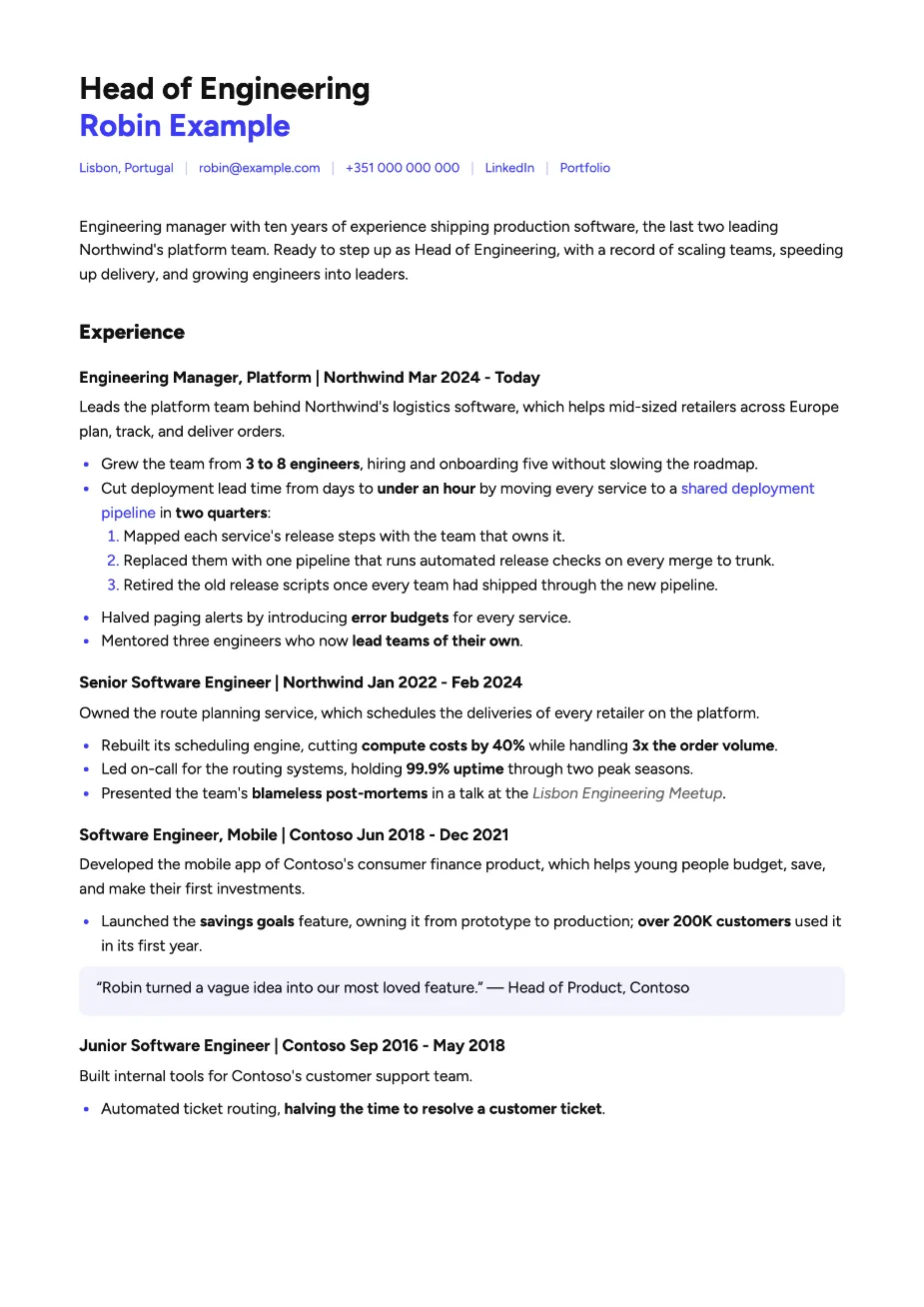
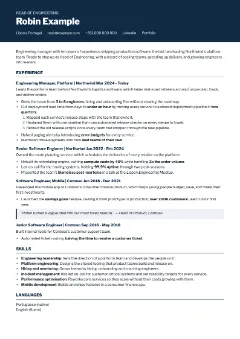
A two-column design that an ATS reads as word salad gets you rejected before anyone sees it. Every one of our templates exports real, selectable text in the order you read it, with your links still clickable. Pretty for the recruiter, plain for the robot.
Manage your data in one
central spot and get feedback
Your work history lives in old CVs, LinkedIn and a notes app you forgot about. Keep your jobs and education in your account instead, the same in the extension and on the website. We rate every past job against what recruiters look for and show you how to fix the weak ones.
Professional templates,
even for you
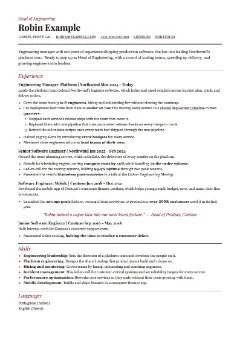
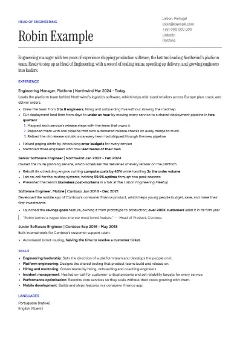
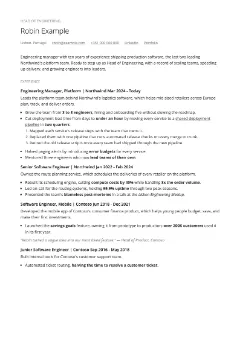
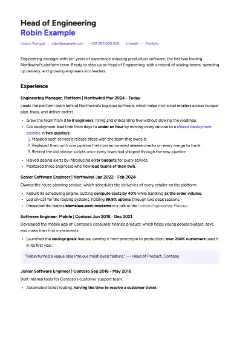
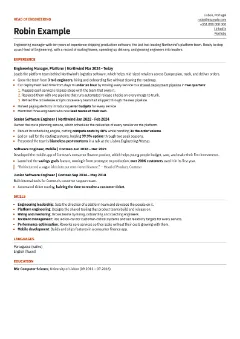
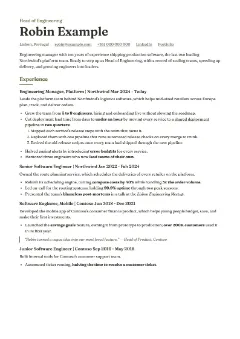
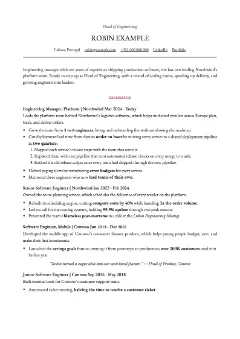
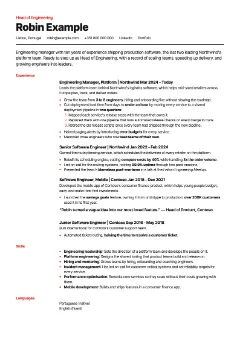
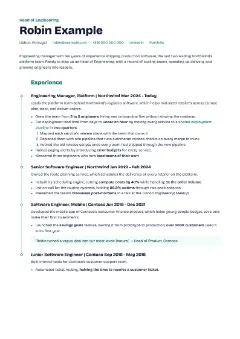
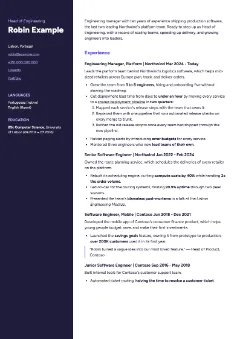
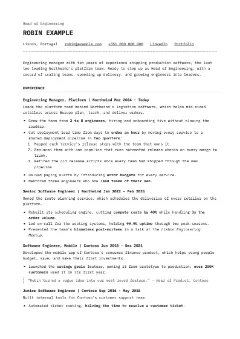
Pick one of fifteen templates and export a clean PDF that’s ready to upload. No more fighting Word margins at 2 a.m. Save your CV as Markdown to keep editing later.
Dumb Questions
There are no dumb questions, they say. Here are yours anyway.
Is the CV editor really free?
Yes, and there’s nothing to install. Pick one of fifteen templates, write in Markdown, and export a PDF. It saves in your browser as you type.
Are the templates ATS-friendly?
Yes. Every template exports a PDF of real, selectable text, read top to bottom in the order you see it: name, contact details, intro, then each job. Check for yourself: copy all the text from the PDF into a plain text editor. That's roughly what an ATS reads.
Can I check the CV I already have?
Yes. Drop the PDF into the ATS checker to see what an ATS reads, in what order, and what to fix. It's free, needs no account, and your CV is never stored.
How do the cover letter and CV generators work?
Open a job posting, open the side panel and hit draft. Cover letters stay short, under 500 characters, in the language of the job ad. CVs pick the key skills from the posting and rewrite your jobs around them. Both stick to the facts you gave: no invented employers, dates or skills. Read it before you send it anyway.
Which AI does it use, and what does it cost?
Drafts run on tokens, through our server to AI models that keep nothing: Claude for CVs, GPT-6 Luna for cover letters. Sign in with Google or LinkedIn and you get 1M for free; buy more on your account page.
Where does my data go?
Signed in, your name, contact details, links and languages sync with your account; your other Auto-Fill fields and your résumé stay in the extension on your device. Your job and education history live in your account, so the extension and the website share them. When you draft, the job posting, your name and your history go through our server to AI models that keep nothing. Each job you save goes the same way to be read for your CVs, and to TypeSafe’s model Jev to be scored. The Transparency page has the details. Export your details and history as a CSV in the settings to back them up.
Get started for free today
Your next CV doesn't need another weekend. Pick a template, write it once, and export a PDF any ATS can read. It's free, and there's nothing to install.
'%3e%3cellipse%20cx='93.8604'%20cy='66.0269'%20rx='58.8604'%20ry='31.0269'%20fill='%234C136B'%20fill-opacity='0.61'/%3e%3c/g%3e%3cdefs%3e%3cfilter%20id='filter0_f_0_155'%20x='0'%20y='0'%20width='187.721'%20height='132.054'%20filterUnits='userSpaceOnUse'%20color-interpolation-filters='sRGB'%3e%3cfeFlood%20flood-opacity='0'%20result='BackgroundImageFix'/%3e%3cfeBlend%20mode='normal'%20in='SourceGraphic'%20in2='BackgroundImageFix'%20result='shape'/%3e%3cfeGaussianBlur%20stdDeviation='17.5'%20result='effect1_foregroundBlur_0_155'/%3e%3c/filter%3e%3c/defs%3e%3c/svg%3e)
'%3e%3cellipse%20cx='75.0687'%20cy='56.1213'%20rx='40.0687'%20ry='21.1213'%20fill='%234C136B'%20fill-opacity='0.61'/%3e%3c/g%3e%3cdefs%3e%3cfilter%20id='filter0_f_0_153'%20x='0'%20y='0'%20width='150.137'%20height='112.243'%20filterUnits='userSpaceOnUse'%20color-interpolation-filters='sRGB'%3e%3cfeFlood%20flood-opacity='0'%20result='BackgroundImageFix'/%3e%3cfeBlend%20mode='normal'%20in='SourceGraphic'%20in2='BackgroundImageFix'%20result='shape'/%3e%3cfeGaussianBlur%20stdDeviation='17.5'%20result='effect1_foregroundBlur_0_153'/%3e%3c/filter%3e%3c/defs%3e%3c/svg%3e)